

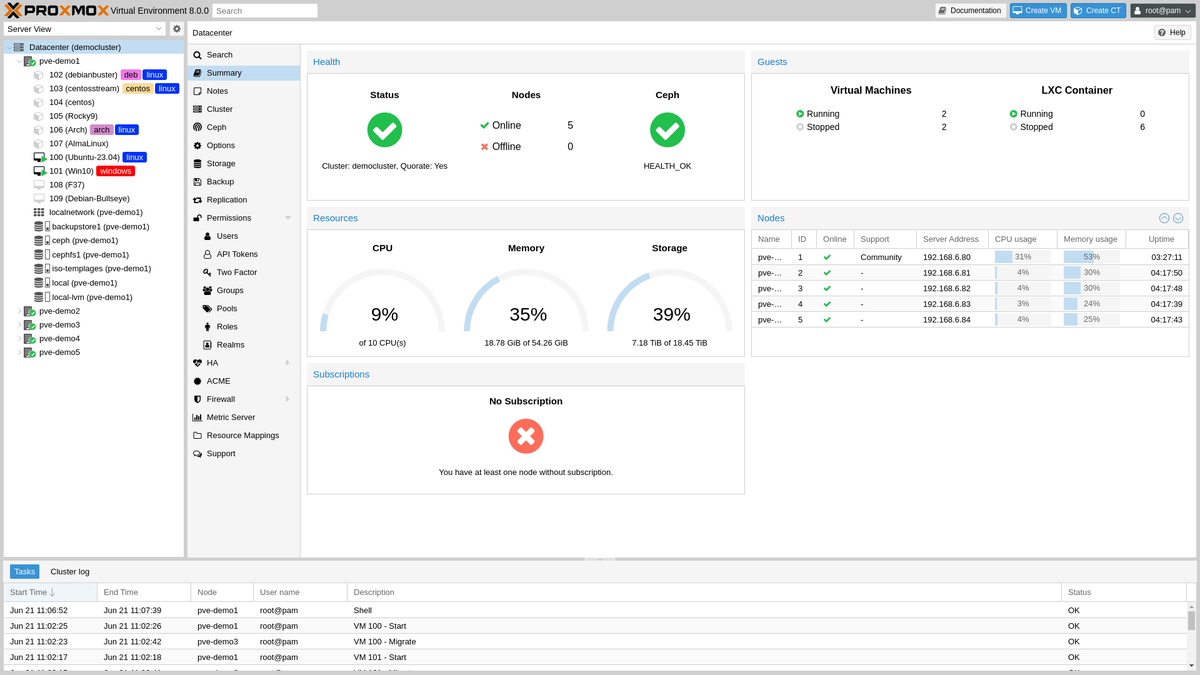
Proxmox VE, one LXC per workload. I think I made the right choice, and I feel good about the reuse: I wouldn’t buy a laptop to do this, but I’m happy I found an economical use for one that was already here.
The XPS 17 had been sitting there for a year or two. I tried giving it to a friend and he didn’t want it. I tried selling it online and it was a whole pain, I kept getting lowballed. Meanwhile my desktop was overloaded and having ethernet in/out issues with all the data transfers going through it, and it was getting annoying. There’s a server rack under my desk with some space in it. So I figured, why not.
What moved: the arr stack (Sonarr, Radarr, Prowlarr, qBittorrent, NZBGet), a financial data pipeline, a research-automation pipeline, a LightRAG knowledge graph, and Prometheus/Grafana. That’s some of the compute off my main desktop and onto a laptop nobody wanted, which is the whole point.
Why Proxmox and not Ubuntu plus Docker#
Every other machine I run is Ubuntu Server plus Docker Compose. For one app I’d do that here too. Five unrelated stacks on one kernel is a different situation: one docker compose down -v in the wrong directory takes out a volume another project mounted, and one bad apt upgrade hits all five. Proxmox gives each stack its own LXC with its own Debian userland and its own Docker daemon, and each LXC gets a filesystem snapshot I can roll back in under a minute without the other four noticing. As of Proxmox VE 9.2 it’s Debian 13 underneath, so it’s the base I already trust with a newer kernel.
Fedora Server was the other candidate. Podman by default, when I have five stacks of working docker-compose.yml, and each release is supported for about 13 months on a machine I want to rack and forget. So it was out.
The cost is one more SSH hop, into the Proxmox host and then into the LXC, every time I touch a container. I knew that going in.
flowchart TD
    subgraph Flat["Flat Docker host (rejected)"]
        H1[One Ubuntu host] --> D1["5 Docker Compose stacks,
shared kernel, shared blast radius"]
    end
    subgraph Proxmox["Proxmox VE (chosen)"]
        H2[Proxmox bare metal] --> L1[LXC: media automation]
        H2 --> L2[LXC: financial data pipeline]
        H2 --> L3[LXC: research automation]
        H2 --> L4[LXC: LightRAG knowledge graph]
        H2 --> L5[LXC: Prometheus/Grafana]
    end
The laptop parts#
Nothing really bothered me. The XPS 17 has no Ethernet port, and Proxmox can’t bridge containers over Wi-Fi: the wireless card only associates for itself, so a bridged container’s frames get dropped at the access point. I had a spare USB-C-to-Ethernet dongle. Plugged it in, Proxmox reassigned nic0 to it, vmbr0 was already bridging nic0, done.
The lid: set the three HandleLidSwitch* directives to ignore in /etc/systemd/logind.conf and put consoleblank=300 on the kernel line. Closed the lid with an SSH session open and it stayed up.
Two small ones. Bare Proxmox doesn’t ship sudo, so apt install sudo as root before you set up a service user. And Proxmox 9 uses deb822 .sources files, so the enterprise-repo 401s go away by disabling pve-enterprise.sources and ceph.sources and adding pve-no-subscription.sources.
The one thing that is finicky is the power plug. I have to jiggle it just right and have it sit just right for it to be recognized.
Nothing is ever perfect#
The arr stack and the resale-clothing monitor are running on the box now. The NBA data pipeline is running on both the desktop and this box, and I haven’t picked one yet.